Free OsmAnd Cloud

Hello everybody!!!
In the latest release of OsmAnd Android 4.5.6 we have created a special plan for our dear users - OsmAnd Start. What does it mean?
-
It is an opportunity to use OsmAnd Cloud absolutely FREE of charge.
-
You can take advantage of free cloud backup of your Favorites, Settings, and OSM edits/notes. (Cloud storage 5 MB).
-
This plan will soon be available for the iOS version of OsmAnd as well.
☛ Let's go!
How to create an account?
To activate OsmAnd Start you need to register Cloud account.
1. Go to:
OsmAnd App Menu → Settings → OsmAnd Cloud → Create new account
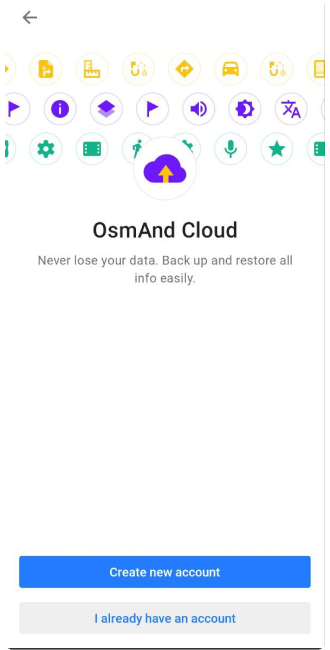
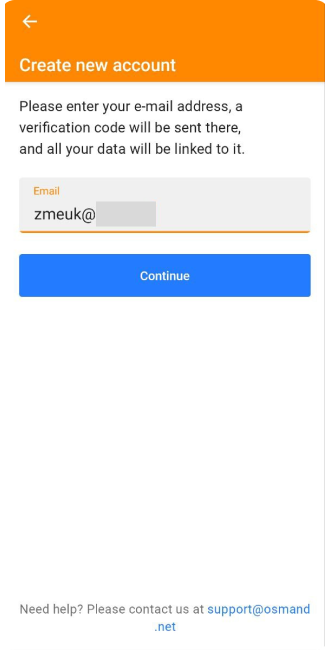
2. Enter your email address and tap the Continue button.
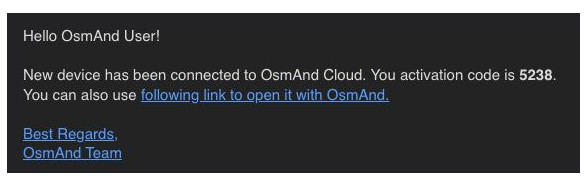
3. Receive a verification code in your email.
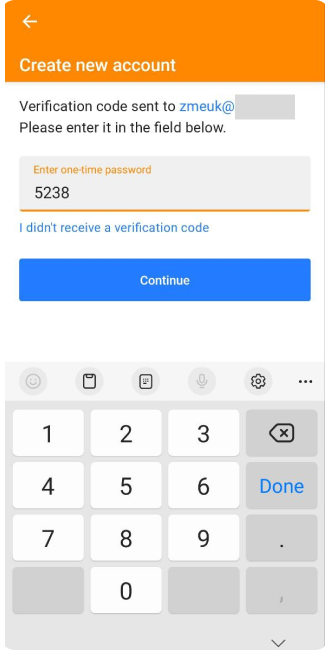
4. Enter this verification code (one-time password) and tap the Continue button.
5. And the OsmAnd Cloud menu opens.
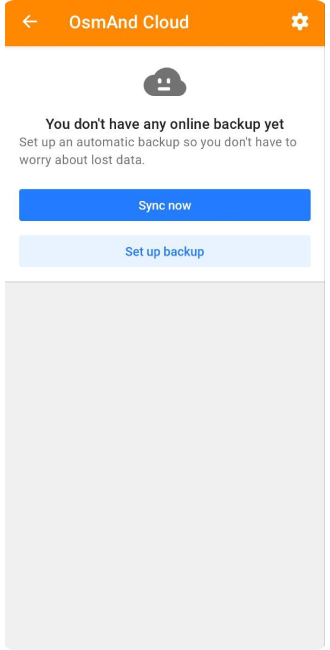
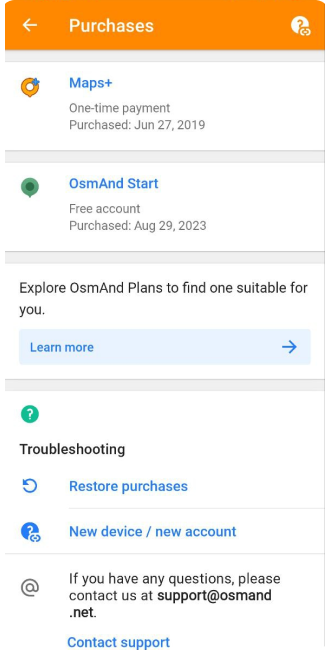
6. After these steps, you can go to the OsmAnd Purchases menu. OsmAnd App Menu → Settings → Purchases
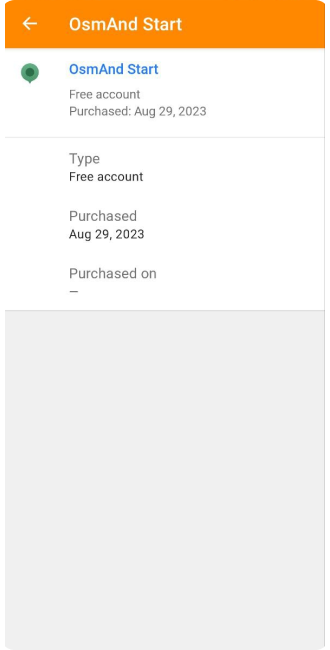
7. In these screenshots, you can see the OsmAnd Start package.
| Purchases menu | OsmAnd Start screen |
|---|---|
 |  |
Some tips:
- The main article about OsmAnd Cloud, where you will find detailed information about our resource, is here.
- If you already have an OsmAnd Pro subscription, you will not be able to activate OsmAnd Start.
How to make a first back up?
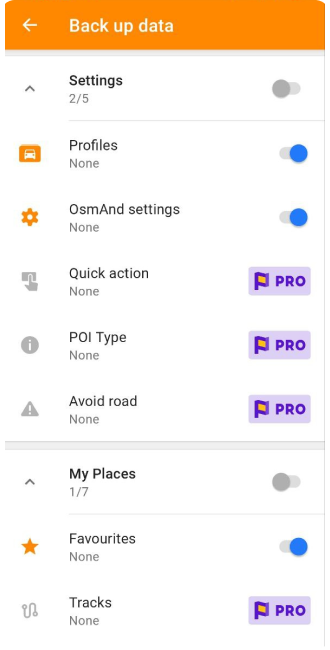
With OsmAnd Start you can back up the following data: Favorites, OsmAnd Settings, Profiles, OSM edits/notes.
1. Go to:
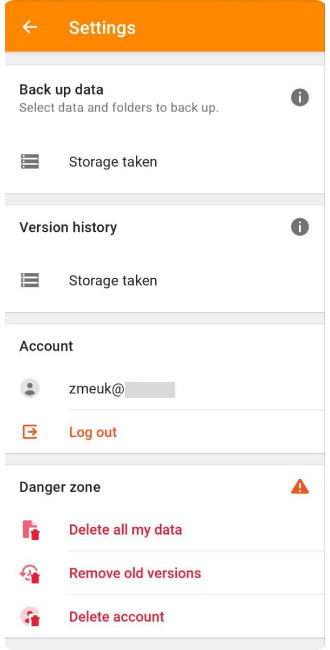
OsmAnd App Menu → Settings → OsmAnd Cloud → ⚙️ (Back up settings) → Storage taken (Back up data)
Here you need to select the data to be saved in the backup.
| Backup settings | Back up data |
|---|---|
 |  |
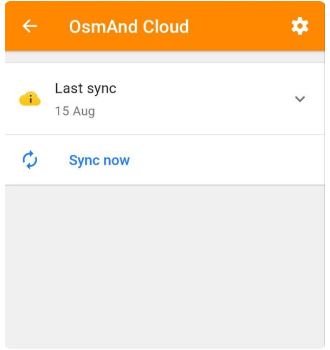
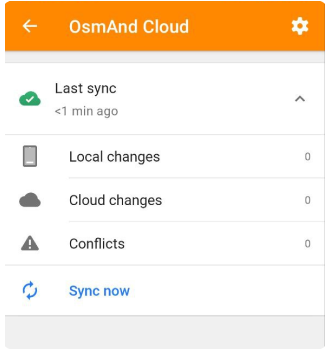
2. Then tap Sync now to synchronize the selected data:
OsmAnd App Menu → Settings → OsmAnd Cloud
| Before | After |
|---|---|
 |  |
OsmAnd Web
On our website, you can log in with your email to work with the data.
1. Go to www.osmand.net/map.
2. To register, click on the Login button.
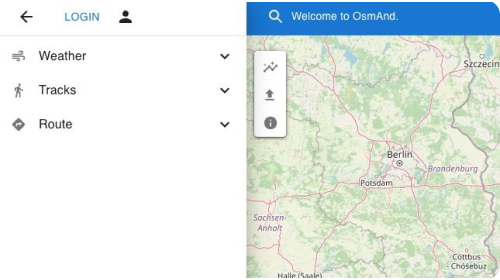
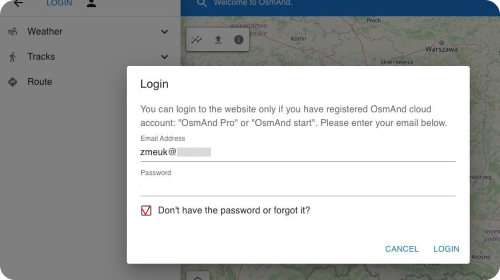
3. Enter your email address that you registered for OsmAnd Start and select Don't have the password or forgot it.
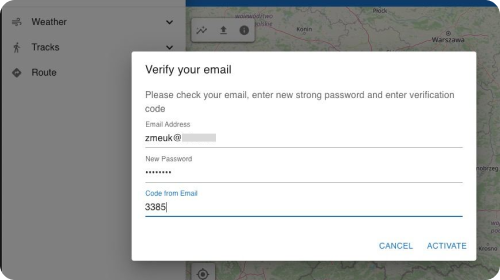
4. Enter your New password and the code from the email.
5. You can now see your Cloud data on the Web.
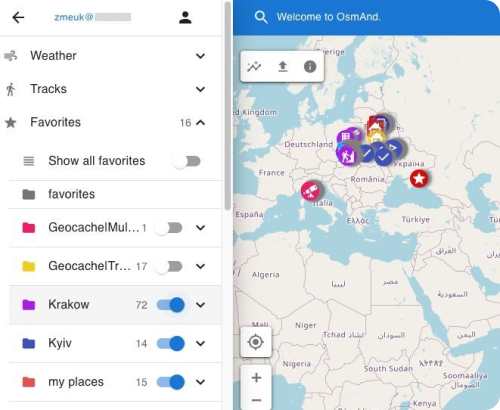
6. Use our Web service to mark your new Favorite points for your account.
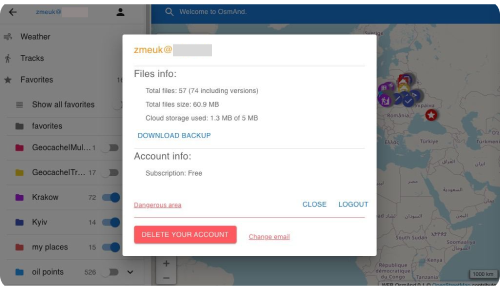
7. By clicking on your Login name in the top left corner, you can view your account information, download your backup, change your email address, or delete your account.
P.S. Subscription to OsmAnd Pro opens additional OsmAnd Cloud features: backup of all OsmAnd data, creation of GPX tracks on the Internet and their synchronization.
We appreciate your interest in us and thank you for taking the time to read this article. Join us on social media to keep up to date with the latest news and share your experiences. Your opinion is important to us.
Follow OsmAnd on Facebook, TikTok, X (Twitter), Reddit, and Instagram!
Join us at our groups of Telegram (OsmAnd News channel), (EN), (IT), (FR), (DE), (UA), (ES), (BR-PT), (PL), (AR), (TR).

